Knock AI overview
Use AI features across Knock — in the dashboard, inside workflows, in your IDE, and in external clients.
Knock exposes AI functionality in four different areas: in the Knock dashboard, inside a workflow run, in your IDE alongside a coding agent, and in external clients or your own apps. Use this page to understand each primitive and which one to reach for.
Knock agent
#The Knock agent is a conversational assistant built into the Knock dashboard. It can do anything you'd normally do in the dashboard, with full context for the resource you're viewing and your active environment.
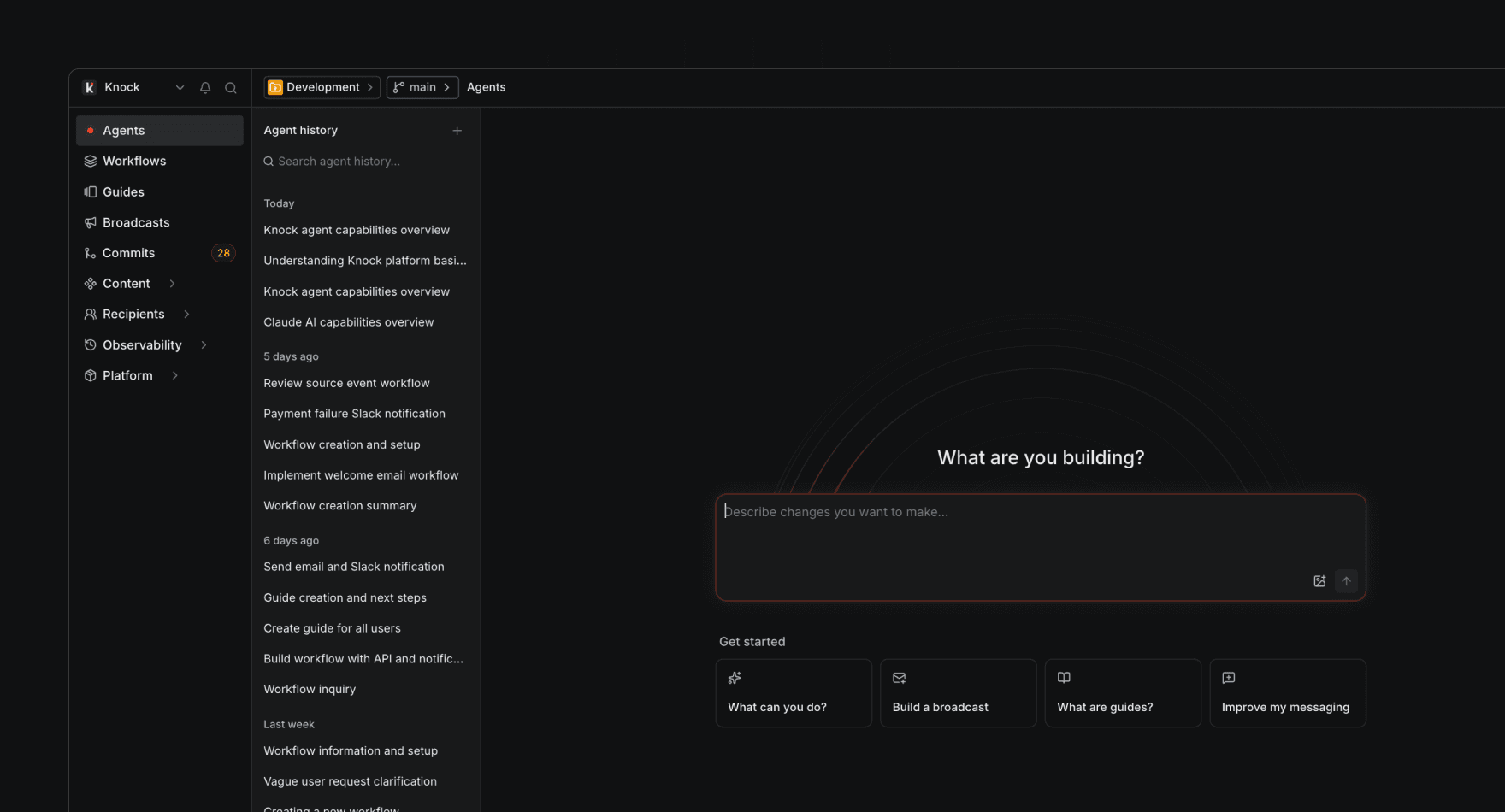
Use the Knock agent to:
- Build workflows, broadcasts, partials, email layouts, audiences, message types, and guides through conversation.
- Inspect existing resources and ask questions about how your messaging is configured.
- Pull in account-level company context and custom instructions so responses stay on-brand.
The Knock agent does not consume AI credits and is configured under Settings > AI settings.
Agent function
#The agent function is a workflow step that runs a prompt on an AI model of your choice and makes the response available in the rest of your workflow run. Use it to bring AI-powered context into the notifications you send.
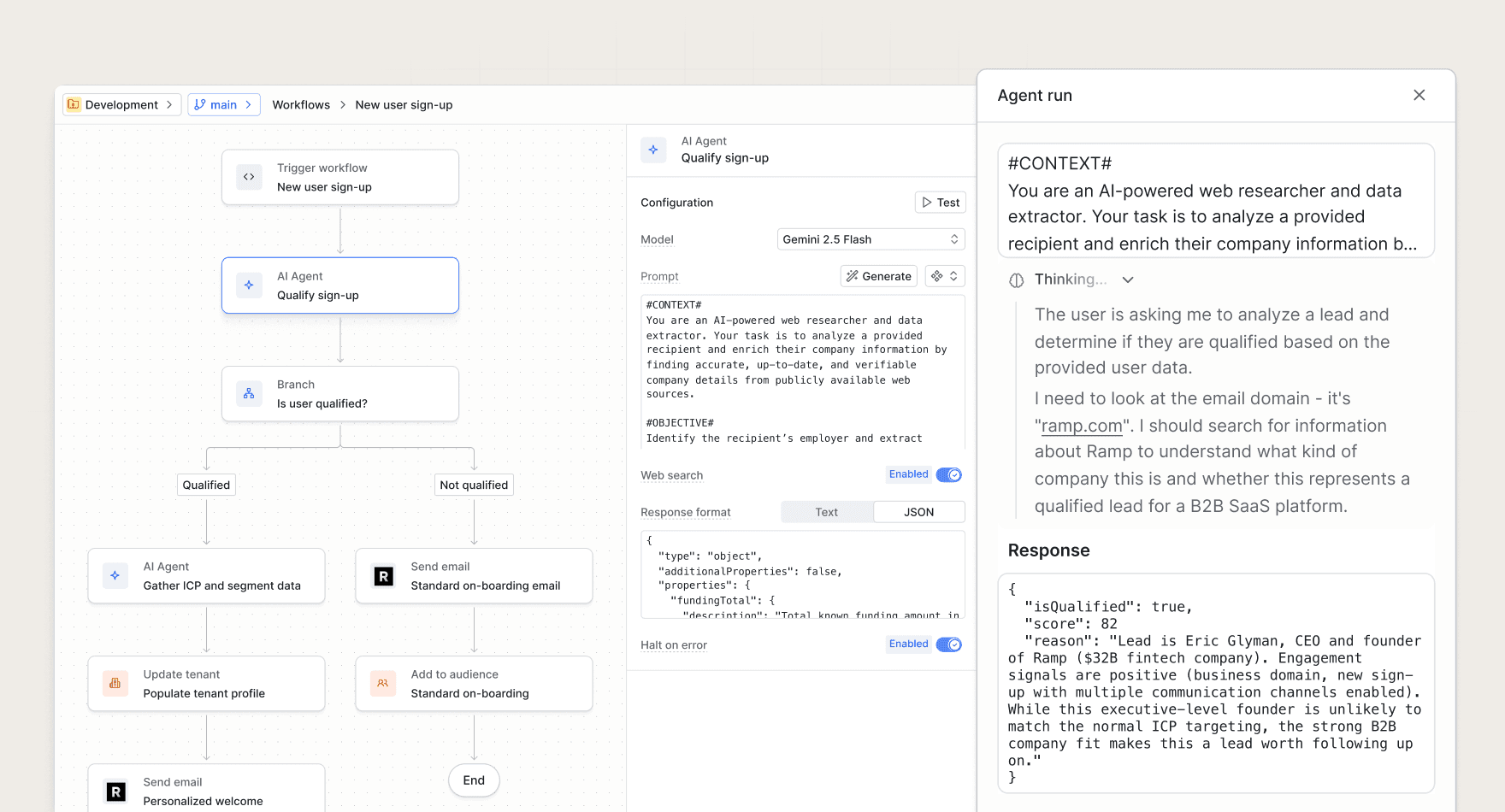
Common use cases include:
- Enrich recipient data. Use user and tenant properties to infer market, persona, or use case.
- Summarize batched activity. Distill a batch of heterogeneous events into a concise digest summary.
- Classify or route triggers. Tag a sign-up, support ticket, or comment so downstream steps can branch on it.
The agent function consumes AI credits and is configured per workflow step. See the full reference for prompt and response format details.
MCP server
#Recommended for external clients and your own apps. The MCP server at mcp.knock.app/mcp exposes Knock primitives to LLMs and AI agents via the Model Context Protocol. Reach for the MCP server when you need Knock as tools inside Claude Desktop, ChatGPT, or any MCP-compatible client, or when you're building a product that needs Knock primitives behind an LLM.
Skills
#Recommended when you're working in an IDE on a Knock-aware codebase. Skills are packaged instructions and rules that AI coding agents auto-activate when you ask them to work on related tasks. Reach for skills when you're editing code in Cursor, Claude Code, or Copilot and want the agent to know how to use the Knock CLI or follow our notification best practices.
Knock publishes an open-source skills package at github.com/knocklabs/skills.
Skills vs. MCP server
#The two primitives are complementary. Most teams use both: skills inside the IDE for codebase-aware tasks, and the MCP server for ad-hoc operations and product integrations. Here's how they split:
Related
#- Knock Agent Toolkit — the SDK behind the MCP server, for fully custom AI integrations.
- Building with LLMs — patterns and examples for putting Knock behind an LLM.
- Settings > AI settings in the dashboard — configure company context and custom instructions used across Knock AI.